Practical AI: Paper to Digital in Seconds.
Brandon Booth
12/6/20254 min read
Never miss a post! Signup for my email updates today and get expert guidance delivered directly to your inbox!

Let’s move past the hype and fear and do something actually useful with AI!
This article is part of my Practical AI series: where I show you simple, real-world ways to leverage AI in your nonprofit of business.
Today’s tips are all about getting text from paper to digital in a jiffy. And I'm going to show you some advanced tips that go way beyond simple Optical Character Recognition (OCR).
Tip #1 Grab a few sentences of text.
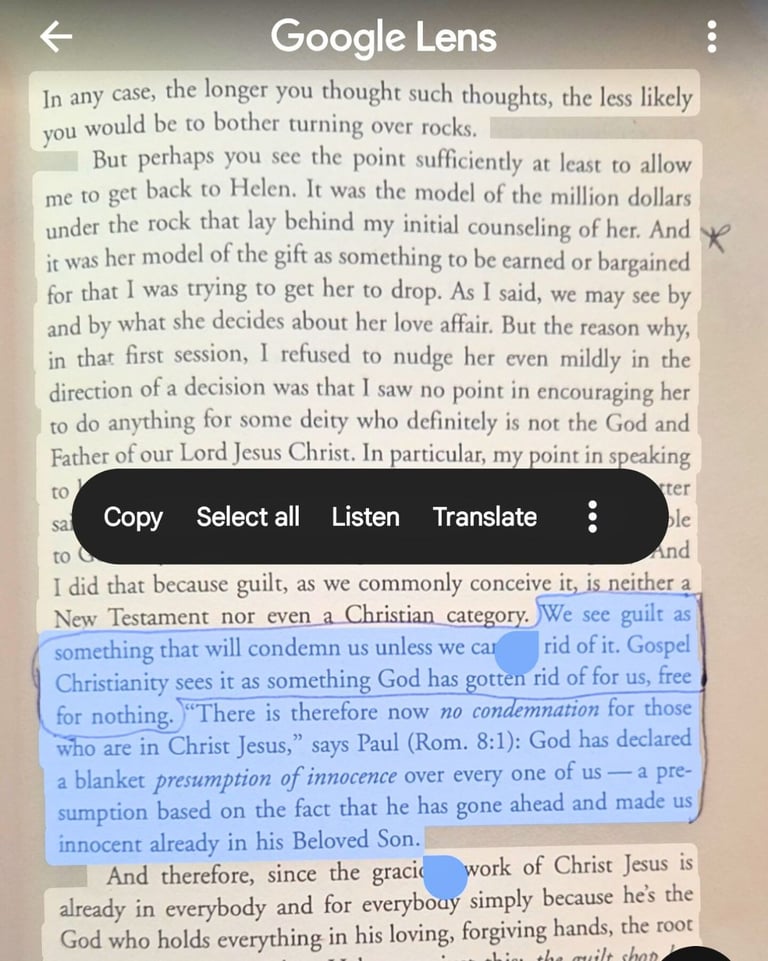
Here’s a common scenario for me: I’m reading a fantastic book and come across a paragraph that is just perfect for the article I’m writing. I could slowly type it all in, or I could whip out my phone, fire up Google Lens and copy and paste the text straight from the book into my document.
It's dead simple to do. Once you point Google Lens at some text you'll see a button that says, "Select text". Then you can copy it just like would any other text on your phone:


This text is from The Mystery of Christ & why we don't get it by Robert Farrar Capon. Definitely worth your read!
Tip #2 Keep formatting + translation
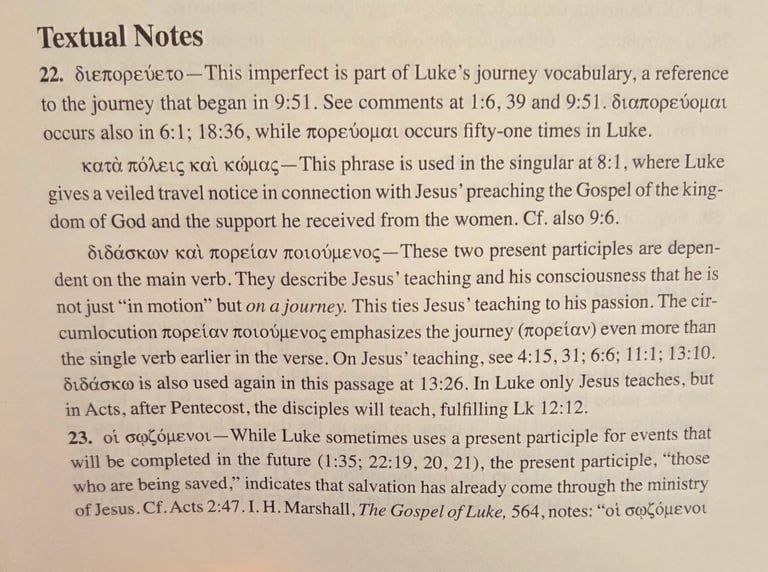
Now let’s tackle something more complex! You’re reading this fantastic commentary on the Gospel of Luke by Arthur A. Just Jr. and you really want to get this textual commentary into your document.
Regular OCR isn’t going to work. The formatting is complicated, and you don’t read Greek. You want to preserve the formatting and translate that Greek.
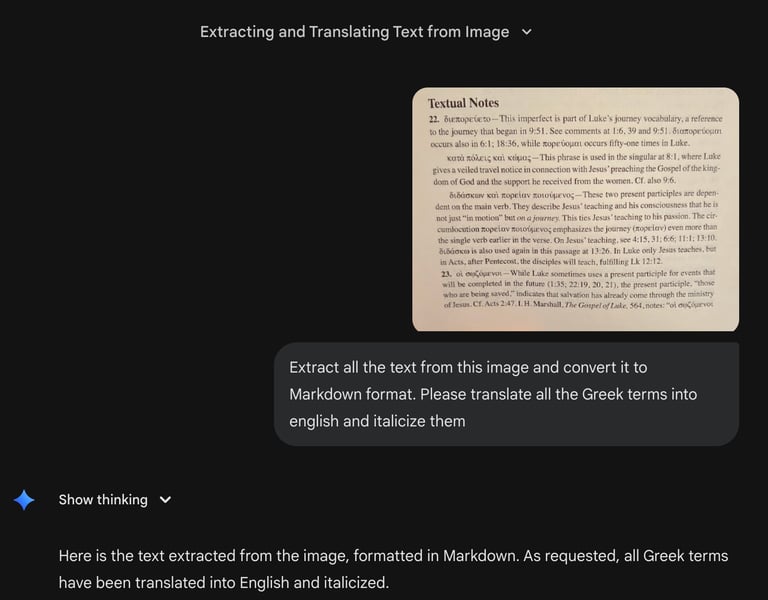
Easy peasy! Snap a photo, drop it into your favorite vision enabled LLM, and give it this prompt:
"Extract all the text from this image and convert it to Markdown format. Please translate all the Greek terms into english and italicize them"
I used Google’s Gemini for this which is included in my free non-profit Google Workspace account. (Don’t have one of those? Check out my How-To Article on how to get one and lots of other cool stuff for free!).
Here are the clean and perfectly formatted results (compare to the image!):
Tip #3 Tabular data into a spreadsheet!
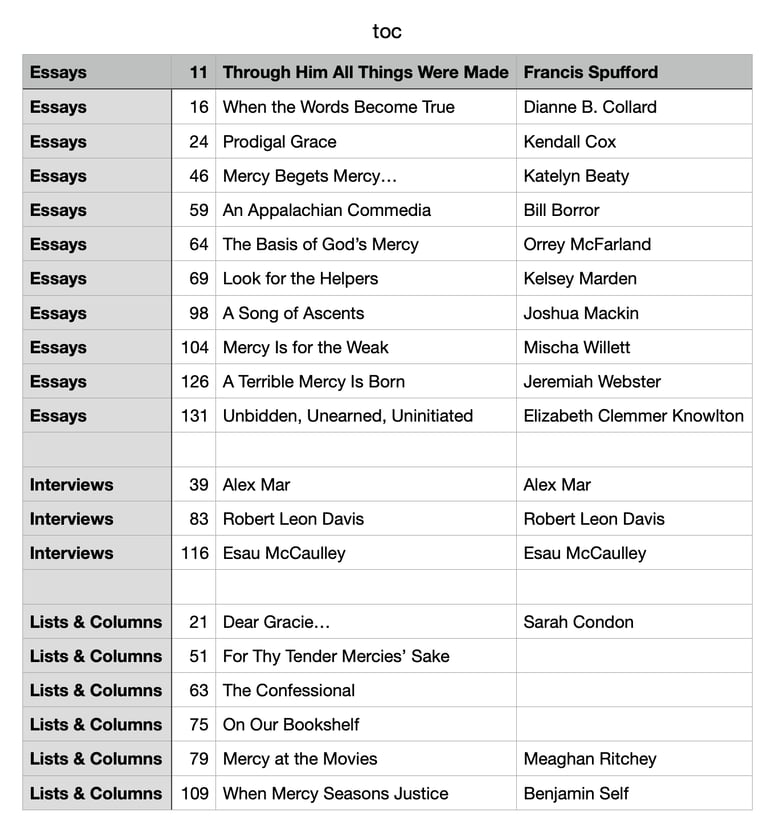
Let’s say you want to grab the table of contents from Mockingbird’s latest issue and convert it into a nice spreadsheet. In reality you probably wouldn’t want to do this with a table of contents, but it’s a great stand-in for say, a printed church directory with names and contact info.
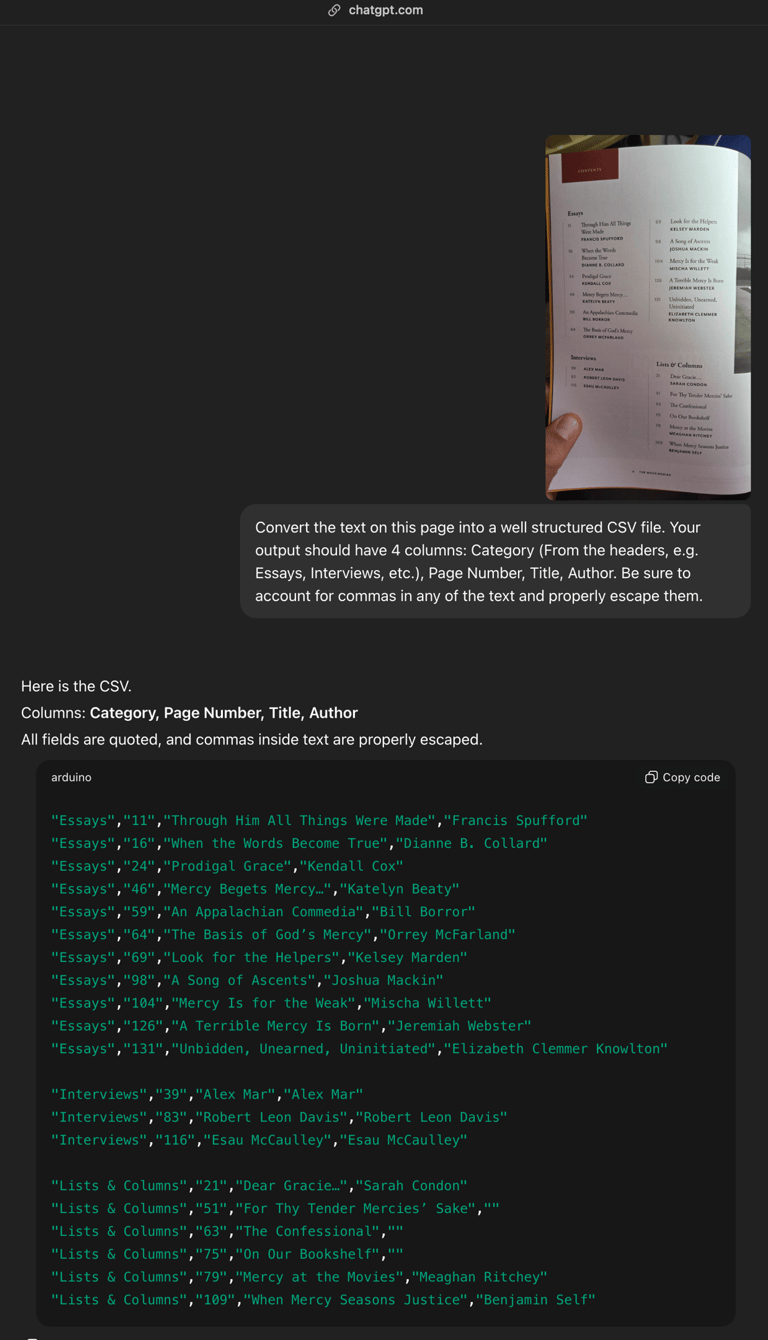
Once again, snap a photo, and drop it into your favorite LLM. And give it the following prompt:
"Convert the text on this page into a well structured CSV file. Your output should have 4 columns: Category (From the headers, e.g. Essays, Interviews, etc.), Page Number, Title, Author. Be sure to account for commas in any of the text and properly escape them."
Textual Notes
22. He was passing through — This imperfect is part of Luke’s journey vocabulary, a reference to the journey that began in 9:51. See comments at 1:6, 39 and 9:51. To pass through occurs also in 6:1; 18:36, while to go occurs fifty-one times in Luke.
through cities and villages — This phrase is used in the singular at 8:1, where Luke gives a veiled travel notice in connection with Jesus’ preaching the Gospel of the kingdom of God and the support he received from the women. Cf. also 9:6.
teaching and making a journey — These two present participles are dependent on the main verb. They describe Jesus’ teaching and his consciousness that he is not just “in motion” but on a journey. This ties Jesus’ teaching to his passion. The circumlocution making a journey emphasizes the journey (journey) even more than the single verb earlier in the verse. On Jesus’ teaching, see 4:15, 31; 6:6; 11:1; 13:10. To teach is also used again in this passage at 13:26. In Luke only Jesus teaches, but in Acts, after Pentecost, the disciples will teach, fulfilling Lk 12:12.
23. those who are being saved — While Luke sometimes uses a present participle for events that will be completed in the future (1:35; 22:19, 20, 21), the present participle, “those who are being saved,” indicates that salvation has already come through the ministry of Jesus. Cf. Acts 2:47. I. H. Marshall, The Gospel of Luke, 564, notes: “those who are being saved
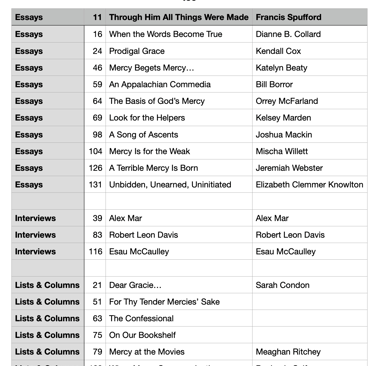
Voilà, you get a nicely formatted CSV file that you can import into any spreadsheet app! This time I used ChatGPT, but wasn't logged in, so it didn't actually give me the easy-to-download CSV file. So I made the file myself (it's a simple text file with the extension .csv) and here’s what it looks like as in my spreadsheet app, all nicely formatted and ready to go!
Got a use case you want me to tackle?
AI tools can save you real time, and we're just scratching the surface! Stay tuned for more practical tips and if you’ve got a use-case that you think AI might be able to help you with, but want some expert guidance, let me know! I’ll tackle it in a future article!
Let's work together!
Let's find the digital tools and processes that make your organization sing!
© Brandon Booth, 2025
Expert guidance for nonprofits and ministries.
Brandon Booth