Practical AI: Clean Up that Messy Data!
Brandon Booth
12/8/20253 min read
Never miss a post! Signup for my email updates today and get expert guidance delivered directly to your inbox!

From document to spreadsheet in a flash
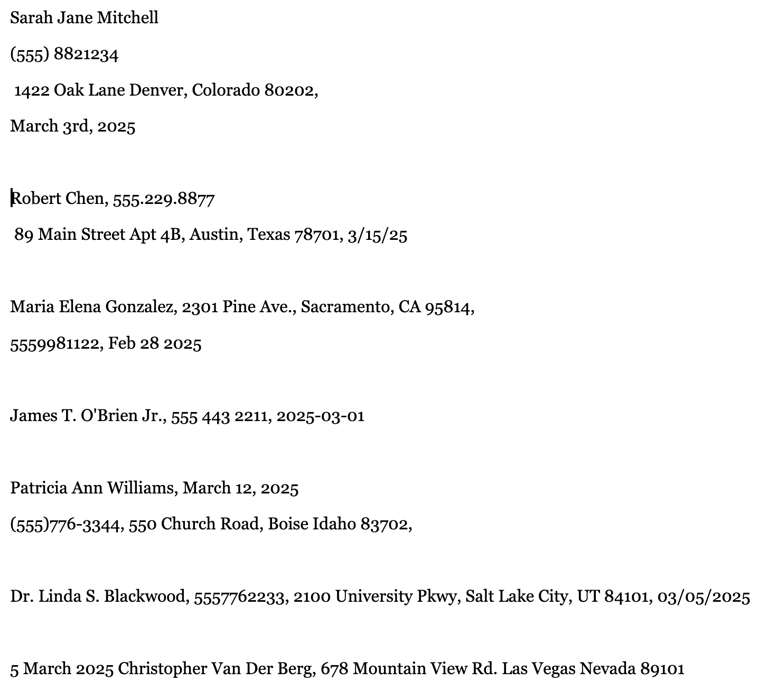
Here’s a common pain point. I’ve got a document with a bunch of contact information that I need to get into my database. It looks like this:


UGH! It would take forever to manually input all this information into a spreadsheet! so let’s make AI do the hard work. Here's the prompt I gave my AI chatbot:
Oops! That last record isn’t quite right! No problem just ask the AI to fix it:
> Prompt: "Double check that last row, it has an extra comma in it."
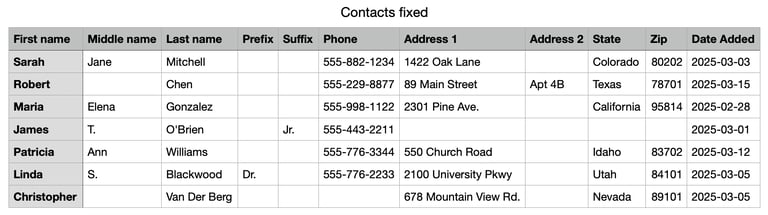
And we get this:
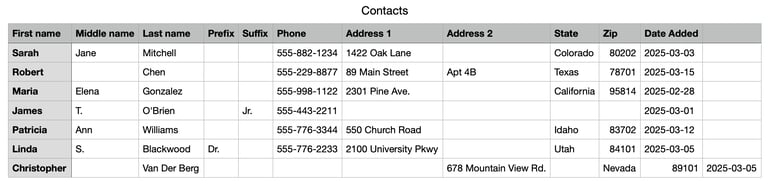
Much better! Note that the AI also already done a lot of work to standardize the data! How convenient! The phone numbers, state names, and dates are all nice and clean.
But we can still clean it up a bit more. Here’s what we want to do:
Convert all the state names into abbreviations
Remove the abbreviations in the Address 1 column
> Prompt: "Convert all the state names into abbreviations and expand all the abbreviations in the Address 1 column (E.g. Rd. should be Road) and return the fixed CSV file."
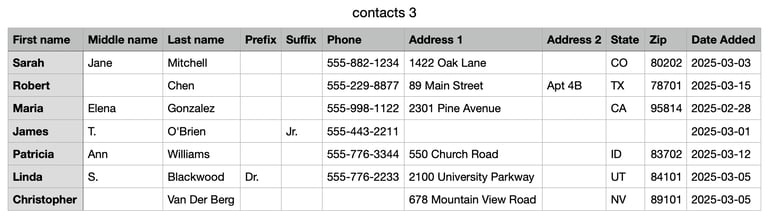
And... we’re done! Here’s our final perfectly formatted CSV:
Tip: How to make a CSV file from text
CSV stands for "Comma Separated Values." It's a simple way of turning a spreadsheet into plain text.
And lot’s of AI chatbots just give back text. So, instead of a ".csv" file that we can open with a spreadsheet app, we get the raw CSV text instead. But making a ".csv" file is super easy. You can:
copy the CSV text into a text editor and save the file with the ".csv" extension, or
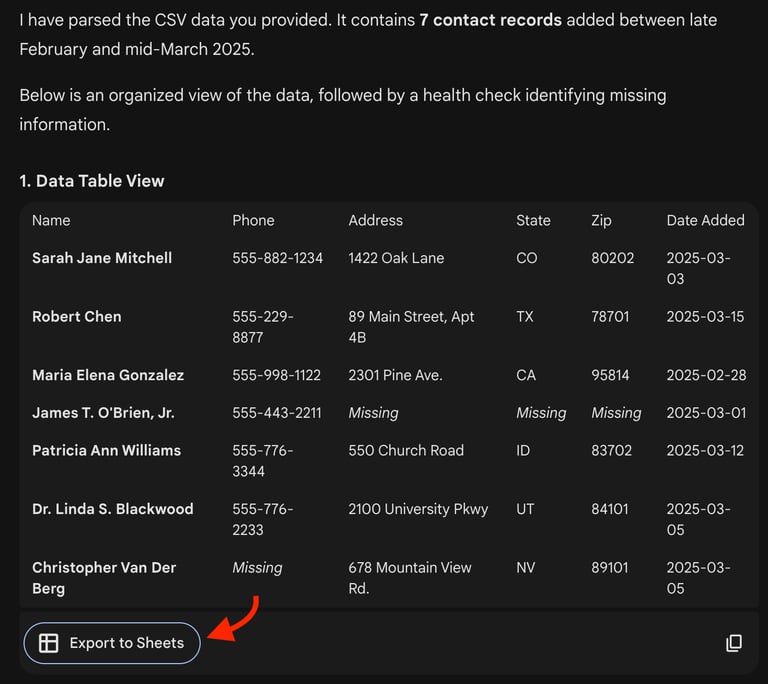
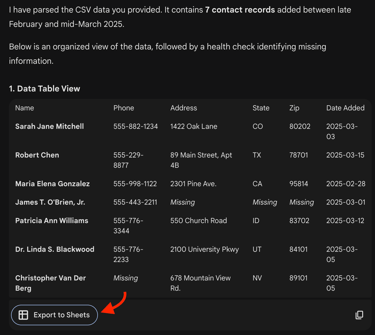
drop the CSV text into Gemini AI and it will give you the option to export it to a Google spreadsheet. You can see what Gemini did with my data below. I just pasted the CSV text into the chat without any instructions.
Got a use case you want me to tackle?
AI tools can save you real time, and we're just scratching the surface! Stay tuned for more practical tips and if you’ve got a use-case that you think AI might be able to help you with, but want some expert guidance, let me know! I’ll tackle it in a future article!
Here is a messy list of names and contact info. Turn this into a clean CSV file with the following columns:
First name
Middle name
Last name
Prefix
Suffix
Phone
Address 1
Address 2 S
tate
Zip
Date Added
[copy and paste the data from the document here]
And here are the results as they appear in my spreadsheet app (note: skip to the end to learn how to convert the raw CSV data into a spreadsheet):
Let's work together!
Let's find the digital tools and processes that make your organization sing!
© Brandon Booth, 2025
Expert guidance for nonprofits and ministries.
Brandon Booth